PCI DSS 4.0 wants two accurate diagrams. Here is how to keep them accurate
· 2 min read
Requirements 1.2.3 and 1.2.4 ask for a current network diagram and a data-flow diagram. Tag the cardholder data environment once and let the diagram work out the boundary.
PCI DSS 4.0 asks for two diagrams, and asks that they be accurate. Requirement 1.2.3 wants a network diagram that shows every connection between the cardholder data environment and other networks, wireless included. Requirement 1.2.4 wants a data-flow diagram that shows how account data moves across systems and networks, updated when the environment changes.
Most small merchants and the MSPs who look after them meet this the same way: a diagram drawn for last year's assessment, touched up the week before this year's. The assessor asks "is this current?" and everyone in the room knows the honest answer.
What "accurate" means in practice
An assessor checks the diagram against the environment. They pick a system on the diagram and ask to see it. They pick a firewall rule and ask where it appears. They ask which cables cross from the cardholder data environment (CDE) into the corporate network, and what sits on each end. A picture can only answer what you remembered to draw.
Scope, in the diagram itself
In ApexDiagram you tag each in-scope device as PCI cardholder data environment on the OT & compliance tab of the device popup. That tag lives on the device record, so it shows in every view: Network for the 1.2.3 diagram, Data for 1.2.4.
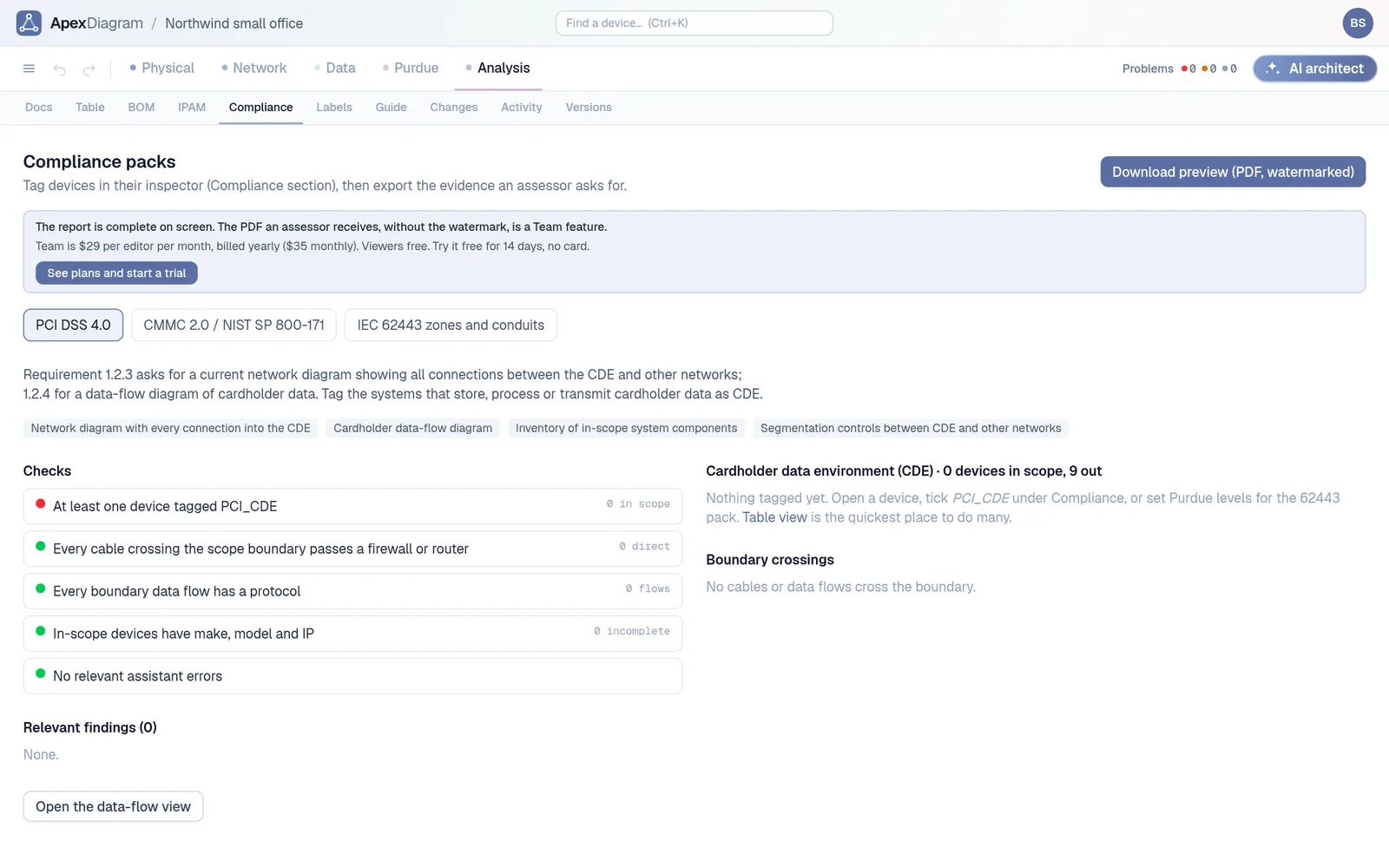
The Compliance tab then works out the boundary for you:
- The in-scope inventory, with make, model and IP for every device.
- Every cable that crosses the CDE boundary, flagged when there is no firewall or router at either end.
- Every data flow that crosses it, flagged when it has no protocol recorded.
- The findings from the diagram assistant that matter for PCI, such as duplicate IPs or in-scope devices with no address.
The Compliance tab
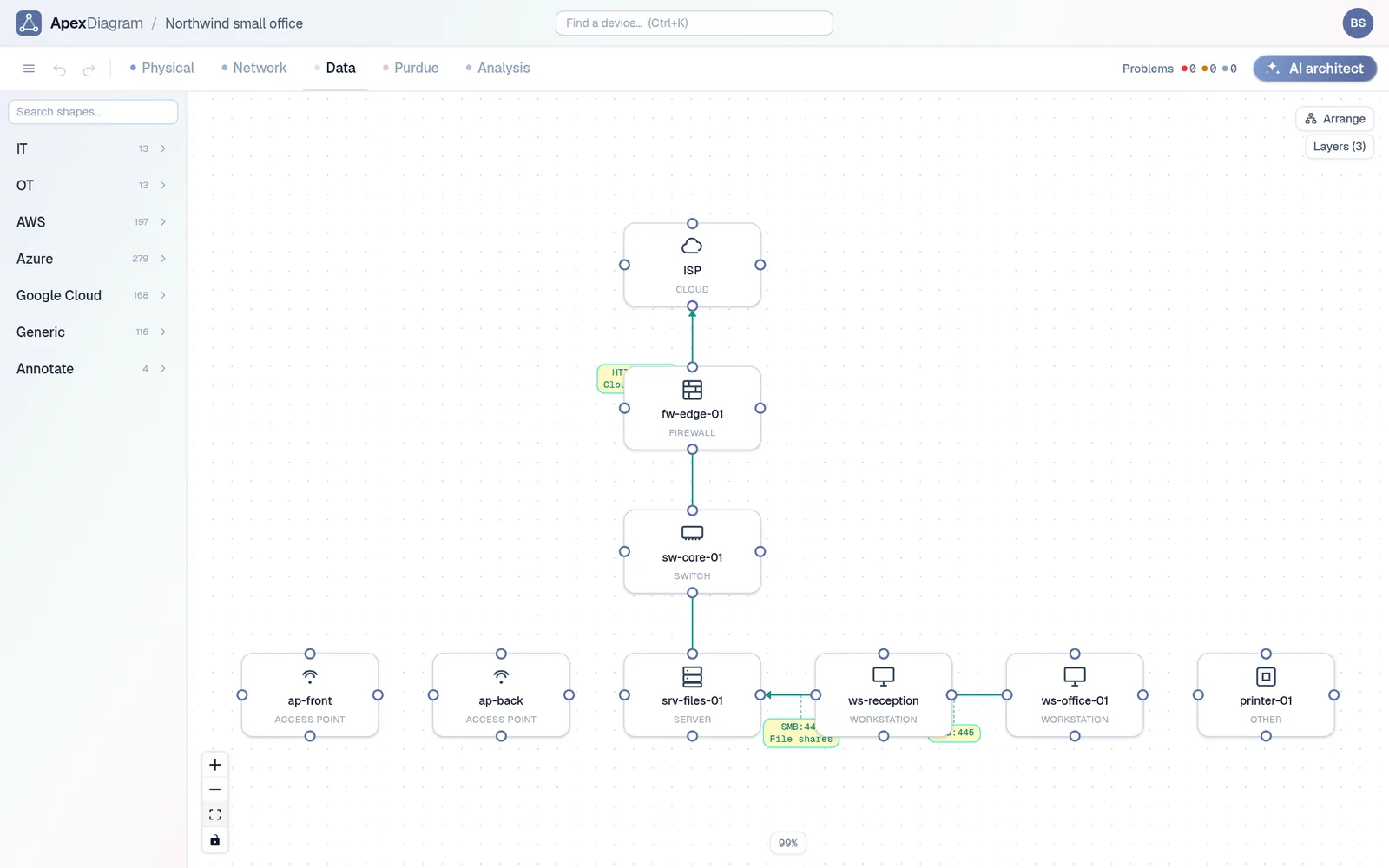 The Data view, the basis for the 1.2.4 diagram
One PDF for the assessor
Download audit pack produces a single PDF: a cover page with the checks, the Network and Data views captured live, the in-scope inventory, the boundary crossings, the findings and the bill of materials. It is the same evidence every time, generated from the same record, so this year's pack and next year's differ only where the network did.
Keeping it current between assessments
The hard part of 1.2.4 is "updated as needed upon changes". Two things help:
- Refresh from file. Export from the firewall, the controller or NetBox, drop the file on the Refresh page, review the diff and apply. A version is saved first.
- Change approval on the Team plan. Editors propose changes, an admin approves them, and every change lands in a tamper-evident audit trail you can export.
The same packs exist for CMMC and NIST 800-171, using a CUI tag, and for IEC 62443, using Purdue levels as zones.
Try it on your own CDE
Import the diagram you used last year and see how many boundary crossings it flags. See plans and pricing.
Requirement numbers are from PCI DSS v4.0. This post is not legal or QSA advice; your assessor decides what satisfies a requirement.
Document your network once, keep it current
One network graph, four synchronized views, a linter and a bill of materials. Import the Visio or draw.io file you already have.
Join the beta